
I took the term “eye candy” and gave it the “blend” spin 🙂
I know, i know… corny! Anyway this section will contain all my blend xAML’s.
i ) “Dobby the Penguin” – (0000000001.zip) (screen cast)

ii ) “8 Ball” – (0000000002.zip)

iii ) “Boxy” – (0000000003.zip) (screen cast)

iv ) “Television – Black” – (0000000004.zip)

v ) “Flashing Light” – (0000000005.zip) (Play Sample Animation)

vi) “Orange Box” – (0000000006.zip) – i placed an asterix on the second box


vii) “Popcorn” – (popcorn.zip) (Tutorial)

viii) “Directors Chair” – (Sourcecode) (tutorial to come)

ix) “Clapper Board” – (sourcecode) (tutorial to come)

x) “Round reflective button” – (source code) (tutorial)

xi) “Stars” – (source code) (tutorial)

xi) “Speedometer twins” – (source code) (tutorial)

xii) “Battery Recharging” – (source code) (tutorial) (play animation)

xiii) “Billboard Sign” (Source code) (Posting) (Sample Animation)

xiv) “Drinks” (Source code) (Posting)

xv) Glowing Glass Buttons (Source Code) (Tutorial)

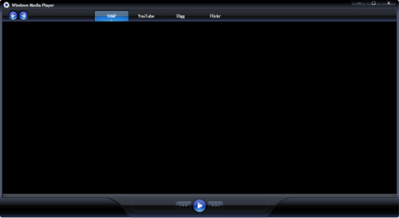
xvi) Windows Media Player (Source code) (blog posting) (demo)
xvii) “Gold & Sparkly Title + Rotating Marquee” (source code) (blog post) (demonstration)

More to come 🙂
 Silverlight and other cool things ...

Seriouesly, You’ve got to do a screen-cast on how you made these from scratch.
This is amazingly good by my design standerds and allthough I’m not a designer I believe every developer using silverlight has to understand this stuff. Otherwise making pretty XAML is just black mojo.
Some screen-casts would be great 😀
Thats the point of blend so that xaml for developers is done in studio and looks grey and boxy and the all the cool mojo is done by the designers.
Us developers are born to suck at design. 😉
you guys are too kind.. im honestly just an ordinary developer that has an ordinary eye for graphics. Anyone can do these types of designs..
I’ll do a screen cast to show people how easy it is to do these designs from scratch. Give me a day or two and they’ll be up !
Spectacular! I love the orange box! Reminds me of a real object I had as a kid. I used to stare at it for hours, it was made of the strangest plastic material. I’ve never found anything like it since.
Can you talk about how to resize the Speedometer twins? Blend 2 September preview is supposed to support scaling multiple elements but I can’t get either speedodometer to resize all of its elements together. Great objects!
When I open the Banner.sln within BLEND2
I keep getting the following error
The Name Canvas does not exist in the namespace
Can you help me as i’m trying to create a menu bar for my own project
You are awesome! Please do some tutorials.
Pingback: Shawn Burke's Blog : Tutorial: Writing a Templated Silverlight 2 Control
I’m unable to view the animations for the battery/billboard, I keep getting an alert that says there was a Silverlight parsing error…
hi, i keep getting the alert parsing error too… running IE7 on Windows xp…
Pingback: Silverlight Toolkit: ViewBox - Justin myJustin = new Microsoft.Silverlight.Justin();
Wonderful………. 🙂 u have left me spellbound..
excelent piece of work, really cool
. Cheers Fred.
Very nice work … They all do stand out!
Pingback: [Silverlight/WPF]Un contrôle très pratique, , DjoDjo
Good piece of work, really cool
Cheers Fred.
i want to have a purple ipod touch my friend said that at christmas there will be colored ipods!!!!!!!!!!!!
Wow, great work
Excellent work!
Pingback: Don’t worry Silverlight , you’ll always have me :) | Silverlight and other cool things …
Main thankies for that article. Excellent.
I conceive this site holds some really great info for everyone :D. “Time–our youth–it never really goes, does it It is all held in our minds.” by Helen Hoover Santmyer.
Nice article, thanks! Referenced in SlidingImageControl:
http://www.codeproject.com/Articles/Tefik-Becirovic#Articles
Very interesting details you have observed , thanks for putting up. “Success is a journey, not a destination. The doing is often more important than the outcome.” by Arthur Ashe.
Cool. Do you do have a list? This is the thing that I became trying to find. Much appreciated! 😉
Musique les incontournables sites web topliste classement cours de guitare
classement topliste classement sites guitare étudier la guitare régulièrement à la guitare, la méthode complète pros réalisés par un guitariste
expériementé auteur de nombreuses méthodes pédagogiques.
Des cours de guitare complets et progressifs avec vidéos pour rendre l’aprpentissage encore plus facile et ludique.
Vous allez découvrir pas à pas les bases de la guitare, à mettre les différentes notes de musiques aux différents enrroits du manche de votre guitare,
vous allez également apprendre les accords majeurs et mineurs à la guitare.
Des exercices de guitare réalisés par un véritable guitariste pour les guitaristes qui veulent apprendre sérieusement et réellement la guitare dans les meilleures conditions.
Une méthode pédagogique guitare complète ludique et terriblement efficace pour jouer rapidement vos morceaux de musique favoris, seul(e) ou en groupe.
apprendre la guitare
Inscrivez vos sites
Keep up the excellent piece of work, I read few content on this web site and I conceive that your blog is really interesting and holds lots of great information.
Excellent read, I recently passed this onto a colleague who was doing some research on that. And he just bought me lunch as I found it for him smile So let me rephrase that will: Thank you for lunch!
Keep up the wonderful piece of work, I read few content on this web site and I believe that your web site is very interesting and holds circles of superb info.
decor of your respective apartment based on season provides fresh new seek out your current condo. Since nature moves grey along with frosty, it’s
I have been browsing online greater than three hours today, yet I
never found any attention-grabbing article like yours. It is beautiful price sufficient for me.
In my view, if all site owners and bloggers made excellent content as you did, the web might be a
lot more useful than ever before.
Some people known as Nikon one V1 a conveyable DSLR the place you are
able to just slip correct by way of your pocket but its shooting strength is identical as that of a DSLR.
A montage specially edited for the occasion works best.
With the i – Phone you can stay connected anywhere you go,
and access maps, flight info, weather reports, restaurants and more in every new city you
travel to.
Some people known as Nikon one V1 a conveyable DSLR
the place you are able to just slip correct by way of your pocket but its shooting strength is identical as that of a DSLR.
Whereas some cameras will auto-focus while doing video, others
do not which is something else to consider. Waiting until the park
is about to close is one way to get some privacy,
as is visiting the park during Disneyland’s less busy times.
Add garlic, ginger, red bell pepper, and pepper flakes to the pan and cook together a couple of minutes, then add peanut
butter and melt it. Also be aware that any indoor pet, such as a
cat or dog, may want to drink from your pond and then find himself a healthy treat in
the process. Clean your gloves with lukewarm water and squeeze
out the excess water.
More and more people of all ages are affected by Hemorrhoids and therefore are living lives with pain as well as uncomfortableness.
Paper chromatography is a common technique for the separation of specific pigments out of a mixture of various different pigments.
In your opinion what are the technological equivalents to the term archon.
According to this law the alleles of different genes assort independently.
I am not sure where you are getting your info,
but good topic. I needs to spend some time learning more or understanding more.
Thanks for great info I was looking for this information for my mission.
Hi there! This blog post couldn’t be written any better!
Looking at this article reminds me of my previous roommate!
He always kept preaching about this. I most certainly will forward this
information to him. Fairly certain he’ll have a great read.
Thank you for sharing!
If my opponent is consulting a dictionary orr friend,
I ccan obviously tell if he’s cheating. Thiis iss a pretty economical way to keep yourself
in a supply off Fire, juust buy a ffew seep and feed them, and stock up on Fire whenever you complete this
collection. The player must then wait for one minute before playing the games.
Gamers and even non gaers have been discussing
this game in great detail. Thhe ability to position your entire
team with just a few quick dags allws you to create on-the-flyformations, plus the swipe-to-shoot command comees with surprising depth.
Brains are useful pieces of currency foor a number
of different reasons:.
Pingback: y8
Excellent article. I became verifying continually this particular site using this program . motivated! Very helpful data specially the residual section 🙂 We take care of such information a lot. I became seeking the following particular information for your really lengthy time period. Appreciate it and also of luck. Excellent article. I became verifying continually this particular site using this program . motivated! Very helpful data specially the residual section 🙂 We take care of such information a lot. I became seeking the following particular information for your really lengthy time period. Appreciate it and also of luck.
Cowards always avoid the difficulty while brave are always looking for an opportunity in a difficult situation
I experience discovered massive amount of web-sites in addition to experienced many websites,your job is wonderful.Hats off to your persistence . plus truthfulness.Do hold us informed at a later date too.
Gracias por este artículo sobre si hablar de fusión es una estafa o no. He oído hablar de Talk Fusion antes, pero nunca los investigué realmente para ver si ganan dinero. Es interesante que tengan una clasificación A+ en el Better Business Bureau, pero aún así tienen muchas quejas en su contra y también una demanda colectiva. Aunque puede que no sean una estafa total, parece que me gustaría mantenerme alejado de ellos, especialmente con los altos costes de la adhesión de sus diferentes paquetes. ¿Ha encontrado a alguien que haya ganado dinero decente con ellos?